The privacy question: what data does a solar monitoring app actually need?
Production data is innocuous. Consumption data tells a story.
Here is a piece of solar data: yesterday between 06:30 and 08:00, the household imported 4.2 kWh from the grid. Between 11:00 and 16:00, the panels produced more than the household consumed and 9.3 kWh went back. Between 18:00 and 22:00, consumption was 2.7 kWh, mostly from the grid. Daily total: 24 kWh produced, 14 kWh consumed.
That looks like a row in a spreadsheet. Read it carefully and it is also a description of someone's morning routine, their working day, when they got home, when they cooked dinner, and roughly when they went to bed. A few weeks of these rows will tell you whether they have school-age children, whether they work from home, when they go on holiday, and which appliances they use heavily. None of this is in the data explicitly, and none of it requires sophisticated analysis to extract.
Solar monitoring data is more revealing than most owners assume, and the question of what data a solar app actually needs (versus what it actually collects) is worth thinking about. This article is about how to ask that question for any solar monitoring app you might install, what the answers usually are, and what to look for when the answers are evasive.
Production data versus consumption data
Solar monitoring data splits into two categories with very different privacy profiles.
Production data, what the panels are making, is fairly innocuous. It tells you something about the weather, the time of year, the orientation of the array, and possibly the size of the installation, but it does not directly tell you anything about the people inside the house. If a stranger saw a full year of your production data and nothing else, they could guess where you live to within a few hundred kilometres (latitude affects production), guess how big your installation is, and not much else.
Consumption data, what the house is using, is the privacy-sensitive half of the story. The granularity matters here: hourly consumption is fairly anonymous, fifteen-minute consumption reveals lifestyle patterns, and one-minute consumption can identify specific appliances by their power signatures. Academic research on smart-meter privacy has demonstrated that short-interval consumption data can reveal whether you have an electric kettle, an oven, an EV charger, and even which TV channels you watch (different displays have characteristically different power draws). The European Commission's Smart Grid Task Force has explicitly flagged consumption granularity as a privacy concern in smart metering regulations.
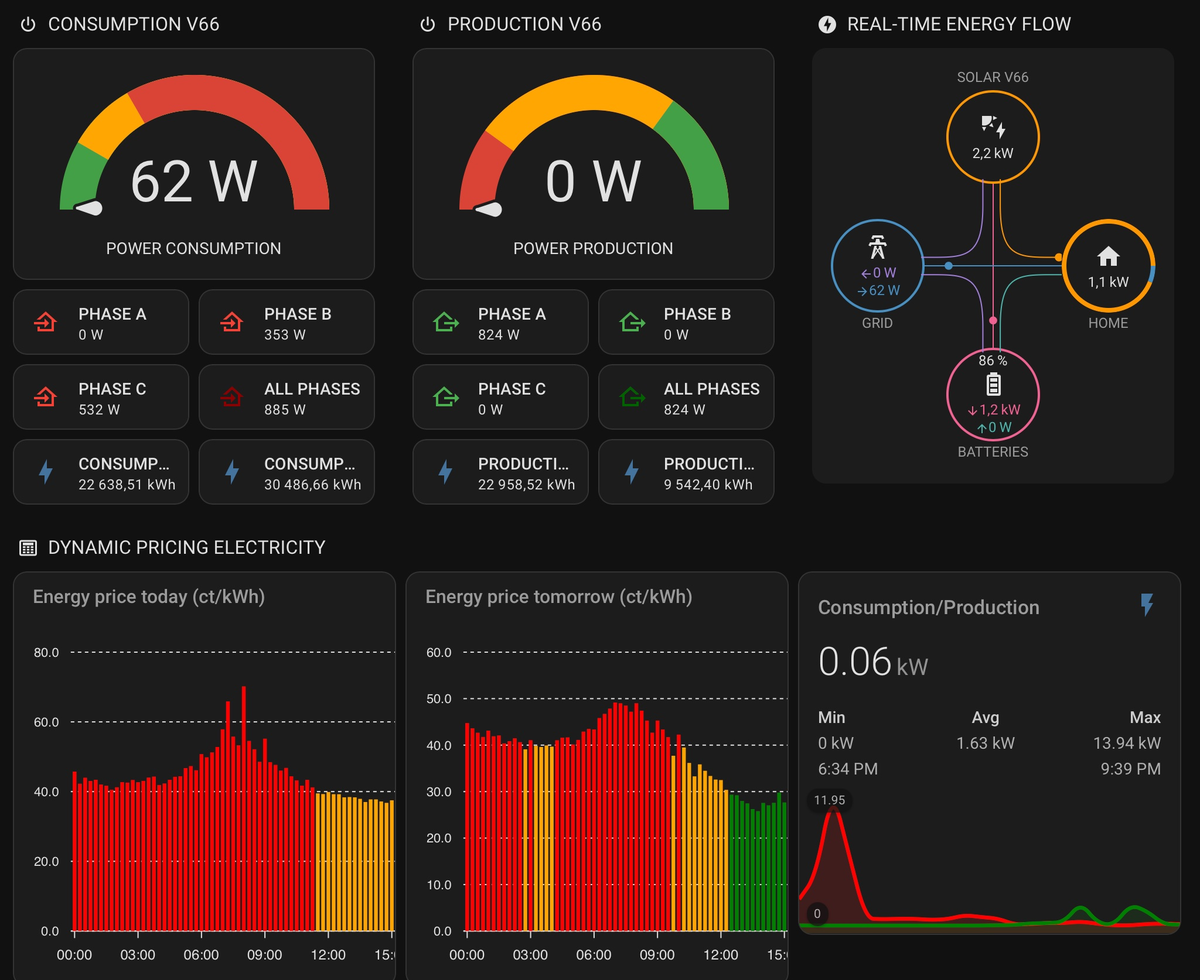
This matters because the trend in solar monitoring is toward higher-frequency consumption data. Five-minute intervals were the norm five years ago; one-minute intervals are standard on modern systems; some platforms now offer 10-second or 1-second updates. The more granular the data, the more it reveals about the household behind it.
The good news is that for most solar monitoring use cases, you do not actually need second-by-second data leaving the house. The interesting analytical questions (daily totals, self-consumption percentage, year-on-year comparisons) work fine at five-minute or even hourly granularity. The privacy-friendly choice and the analytically useful choice are aligned, if the app is designed thoughtfully.
What a solar monitoring app actually needs to function
The minimum required data for an app that reads from PVOutput is genuinely small:
- Your PVOutput username, to identify which account to fetch from
- Your PVOutput API key, to authenticate the requests
- Optionally, the system ID, if your account has multiple systems and you want to specify which one
That is the entire data set required to deliver every PVOutput-based monitoring feature in this article series. No email address. No name. No phone number. No location (the system has its own coordinates in PVOutput). No device identifier. No advertising ID. No analytics tag.
The picture for manufacturer apps is different, because the manufacturer typically owns both the inverter and the cloud service it talks to. To monitor your own SolarEdge inverter via mySolarEdge, you need an account with SolarEdge, which means name, email address, and your inverter's serial number at minimum. The manufacturer's terms of service then determine what else they can do with the data flowing through their cloud. This is not necessarily problematic, but it is a different trust model from the PVOutput route.
The honest test for any solar monitoring app is to compare what it asks for at setup against what it actually needs to function. If the app asks for permissions or data beyond the minimum, the question to ask is what those extras are for, and whether you are comfortable with the answer.
What solar apps commonly collect beyond the minimum
The data that solar apps commonly collect beyond the technical minimum falls into a few familiar categories.
Account information, name, email, sometimes address and phone number. Required by manufacturer apps for account creation. Independent PVOutput-based apps generally do not need any of this because PVOutput already has your account credentials.
Device identifiers, the iOS device ID, the advertising identifier (IDFA) if you have not disabled it, push notification tokens. Some apps use these for analytics, some for advertising attribution, some for push notifications. The privacy difference between "anonymous device ID for crash reports" and "advertising ID shared with marketing partners" is large; the app's privacy policy should tell you which it is.
Precise location, surprisingly common in solar apps. The justification is usually "to determine your weather and time zone", but the time zone is in your device settings and the weather can be fetched without your precise GPS coordinates. If a solar app asks for "When In Use" location access, ask why, and consider whether you are comfortable with the answer.
Analytics events, clicks, screen views, feature usage, session duration. Almost universal in modern apps. The privacy-friendly versions use aggregate data with no personal identifiers; the privacy-unfriendly versions tie events to your account and build a profile over time.
Third-party SDKs, many apps embed third-party libraries (Facebook SDK, Google Analytics, Crashlytics, AppsFlyer, advertising networks) that have their own data collection practices independent of the app's own policy. The third-party SDKs are often where the more aggressive data collection lives, and they are sometimes not fully disclosed.
The general principle is that what a solar monitoring app needs to function is small, and any expansion beyond that minimum is a choice the developer made for some other reason, usually monetisation, sometimes engagement metrics, occasionally something more questionable.
The "free app" trade-off
A useful frame for evaluating any free app, solar or otherwise, is to ask how the developer pays for it. Software does not maintain itself, servers cost money, and a free app whose developer is also feeding their family is paying for development out of something. The honest possibilities are:
- The free app is a loss leader for paid services or hardware (manufacturer apps are usually this, the inverter pays for the app).
- The free app sells your data to advertisers, data brokers, or analytics platforms.
- The free app shows ads for revenue.
- The free app is an indie project funded by the developer's other work.
- The free app collects engagement metrics to drive future paid features.
None of these is inherently bad. Manufacturer apps in category 1 are usually fine for what they are. Category 2 is the case to watch out for; it is the original meaning of "if the product is free, you are the product".
For solar specifically, the manufacturer-app model (category 1) is the dominant free option, and it is usually a reasonable trade. The manufacturer wants you to remain happy with their hardware so you buy more of it or recommend it to neighbours; the app is part of how they keep you happy. The data that flows to their cloud is mostly used to operate the service and to do aggregate research on fleet performance. Most major inverter manufacturers' privacy policies are reasonable on this point.
For independent third-party apps, free with no purchase option at all is a more unusual model. If you cannot pay for the app, ask how the developer is funded. The PVOutput-based iOS apps we discussed in Solar monitoring on iOS: comparing the options in 2026 all have free tiers, but each also has a way for the developer to be paid, either through a one-time purchase, a subscription, or a clearly identified donation mechanism. A "completely free, no paid option" solar app would be unusual enough to warrant a careful read of the privacy policy.
Where your data actually lives
Once you understand what data is being collected, the next question is where it lives and who has access to it over time.
On your devices. This is the safest place. Data on your iPhone or iPad, in your iCloud backup, is encrypted at rest, encrypted in transit if it syncs to iCloud, and only accessible to you (and to Apple under their terms, which include legal-process exceptions). An app that stores its data primarily on-device, with optional iCloud sync, has the strongest privacy profile.
In the developer's cloud. Most apps need some cloud component for sync, push notifications, or shared features. The privacy properties depend on the cloud provider, the security practices, and the developer's policies. Reputable independent developers use Apple's iCloud APIs (which keep data in your Apple account) or major cloud platforms (AWS, Google Cloud, Azure) with reasonable security defaults. Less reputable apps use less reputable infrastructure.
In third-party analytics or advertising clouds. This is where data tends to leak out of your control. Once your behaviour data is in Facebook's, Google's, or an advertising network's systems, the data has effectively left the app and is subject to whatever those companies do with it. The mitigation is to look at which third parties an app integrates with, which is increasingly disclosed in App Store privacy labels.
In your inverter manufacturer's cloud (for manufacturer apps). Specific to solar. The manufacturer holds your production and possibly consumption data on their servers indefinitely as part of running their service. Some manufacturers have explicit retention policies (we keep data for X years); some are vague. Most do not delete data when you stop using the app or even when you sell the house.
In PVOutput (for independent apps). PVOutput is hosted in Australia, the data is yours to delete at any time, and PVOutput does not sell or share user data per their stated policy. The PVOutput public ladder shows aggregate system performance for users who have opted in, but this is anonymous unless you have chosen to make your system identifiable.
The general rule is that the more places your data lives, the harder it is to manage. A monitoring stack that puts data only in PVOutput and on your local devices is simpler to reason about than one that distributes it across the inverter cloud, three analytics services, and a single sign-on provider.
Manufacturer apps versus independent apps, from a privacy angle
Both models have legitimate privacy profiles, but they trade off different things.
Manufacturer apps are usually free, integrated with the hardware, and require a manufacturer account. Privacy-wise, you are trusting one entity with both your hardware and your data. If you trust that entity (and most reputable inverter manufacturers are trustworthy), this is fine. The risk is binary: you trust them or you do not, and you do not have a way to use the manufacturer's hardware without using their cloud.
Independent PVOutput-based apps introduce a second layer. You trust PVOutput with your data (which the PVOutput community has done for fifteen-plus years without significant incident) and you trust the specific app to handle your credentials properly. The privacy benefit is that the app does not need to know who you are; it just needs your PVOutput credentials, which themselves do not require your real name or email. The trade-off is that PVOutput requires the upload step we covered in Getting your data into PVOutput, adding setup complexity.
For owners who care about privacy specifically, the independent route is often the better trade. The data lives in two places (PVOutput and your local device) rather than three or more. The credentials you give the app do not include your real identity. The app can be replaced without losing data. None of these is a magic privacy guarantee, but they are concrete improvements in the privacy posture compared to "everything goes through the manufacturer's account".
Practical questions to ask of any solar app
Before installing any solar monitoring app, the following questions are worth a minute of attention. Most can be answered from the App Store privacy label and a quick scan of the privacy policy.
- What account does the app require to function? (No account / your existing PVOutput account / a new manufacturer account)
- What permissions does the app request? (Push notifications, location, contacts, etc.)
- What data does the App Store privacy label disclose as collected? (Look for "Data used to track you" and "Data linked to you" sections)
- Does the privacy policy mention third-party sharing? (And if so, with whom and for what purpose)
- Is there a way to export or delete all your data? (GDPR requires this for EU residents, but the implementation varies)
- What happens to your data if you delete the app or stop using it? (Some apps retain indefinitely, some delete on uninstall)
- What happens if the developer goes out of business or sells the company? (This is the unknown unknown; reading the policy can sometimes give clues)
You do not need to answer all of these for every app. But asking a few of them, especially for any app you plan to use long-term with multi-year data, is genuinely worth the time.
The GDPR context for Belgian and EU readers
For readers in the EU, including Belgium, the General Data Protection Regulation (GDPR) provides some baseline rights regardless of what any individual app's policy says. The most useful ones in this context are:
- Right of access: you can ask any company that holds your data what they have on you, in machine-readable form
- Right to erasure: you can ask them to delete it, with limited exceptions for legal record-keeping
- Right to data portability: you can export your data and move it to another service
These rights apply to any company that processes data of EU residents, regardless of where the company is based. PVOutput honours them. Apple honours them. Major inverter manufacturers honour them. Smaller independent developers sometimes have less mature processes but are still legally required to comply on request.
The practical upshot is that EU residents have more leverage over their solar data than they often realise. If a company is being evasive about what they hold or what they share, a formal GDPR request usually clarifies things quickly. The European Data Protection Supervisor's website has templates and guidance for making these requests.
What HelioPeak does, briefly
In the spirit of being concrete rather than abstract about an app's privacy choices, here is what HelioPeak does. I will keep this short because it is not the point of the article, but it is useful as an example of what one set of choices looks like in practice.
HelioPeak does not have its own user accounts; the app uses your existing PVOutput credentials, which themselves do not require your real identity. Those credentials are stored locally on your device in the iOS App Group container (sandboxed UserDefaults shared between the app and its widget extension, accessible only by HelioPeak itself). They are sent only directly from your device to PVOutput when making API calls — never to HelioPeak, the developer, analytics, or any other third party. The app does not collect your name, email address, phone number, or precise location. It does not embed advertising SDKs, social media SDKs, or marketing trackers. Notes and preferences sync via iCloud (your Apple account, not a HelioPeak server) so they move between your devices without passing through a third-party cloud.
These are not heroic choices; they are just the choices that match what a solar monitoring app actually needs to do. The reason to mention them is that they show the alternative model: an app that does not collect what it does not need. For users who specifically care about that, it is worth knowing the model exists.
A closing thought
Privacy in software is rarely about specific scandals or specific bad actors. It is about the cumulative effect of small choices: which apps know which things about you, which clouds hold which fragments of your behaviour, which third parties have a partial view of how you spend your evenings.
Solar monitoring is a small slice of the overall privacy picture, but it is a slice that you control. The app you choose, the cloud you trust, the data you upload, the granularity you make available, the third-party integrations you accept, all of these are decisions you can make with some thought. A few minutes of attention at setup can produce a monitoring stack that you understand and trust for the 25 years your panels are on the roof.
The data is yours. The question worth asking, of any app that holds it, is what they need it for and what happens when they no longer want to hold it. The answers to those questions are not all equal. And the apps that have the cleanest answers usually do not mind being asked.