FeaturesScreenshotsPricingFAQRelease notesHelpPrivacyHelioPeak for solar
Lightproof

Lightproof

Your own camera. Your own vault. Nothing leaves your iPhone.

Shoot 48 MP photos and 4K HDR video straight into an encrypted vault, keep documents and notes beside them, and open it with your passphrase or Face ID. No account, no cloud, no tracking.

Download on the App Store
Version 1.0 · 23 November 2026 · Release notes

For iPhone with iOS 18 or later, ready for the iPhone Duo. Free to download: a 7-day trial, then a one-time purchase of €12.99. No subscription.

See it in action

A camera first, a vault behind it. Everything below runs on the iPhone itself, in the dark appearance.
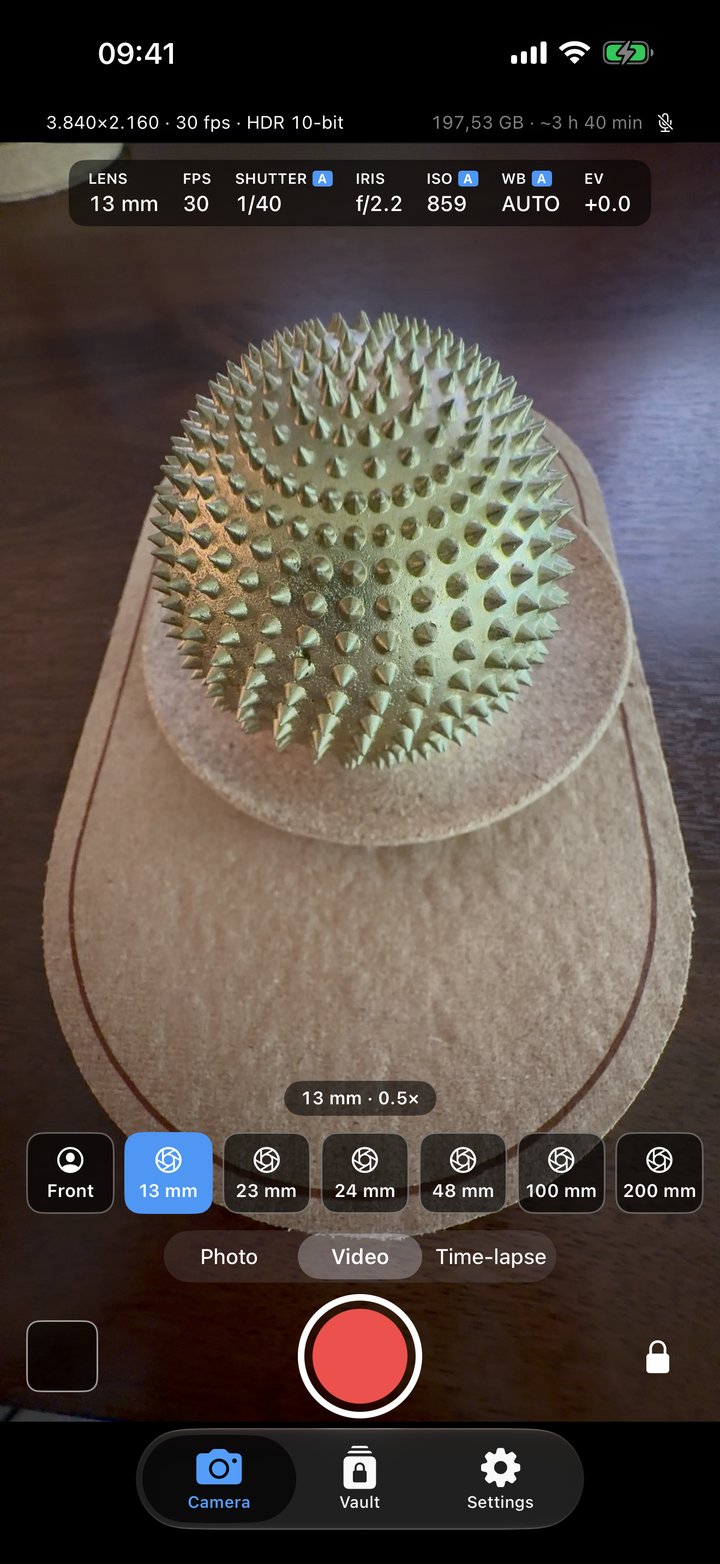
The camera in video mode: 4K HDR 10-bit at 30 fps, the 13 mm lens chosen from a row running from the front camera to 200 mm, with live shutter, aperture, ISO and white balance readouts
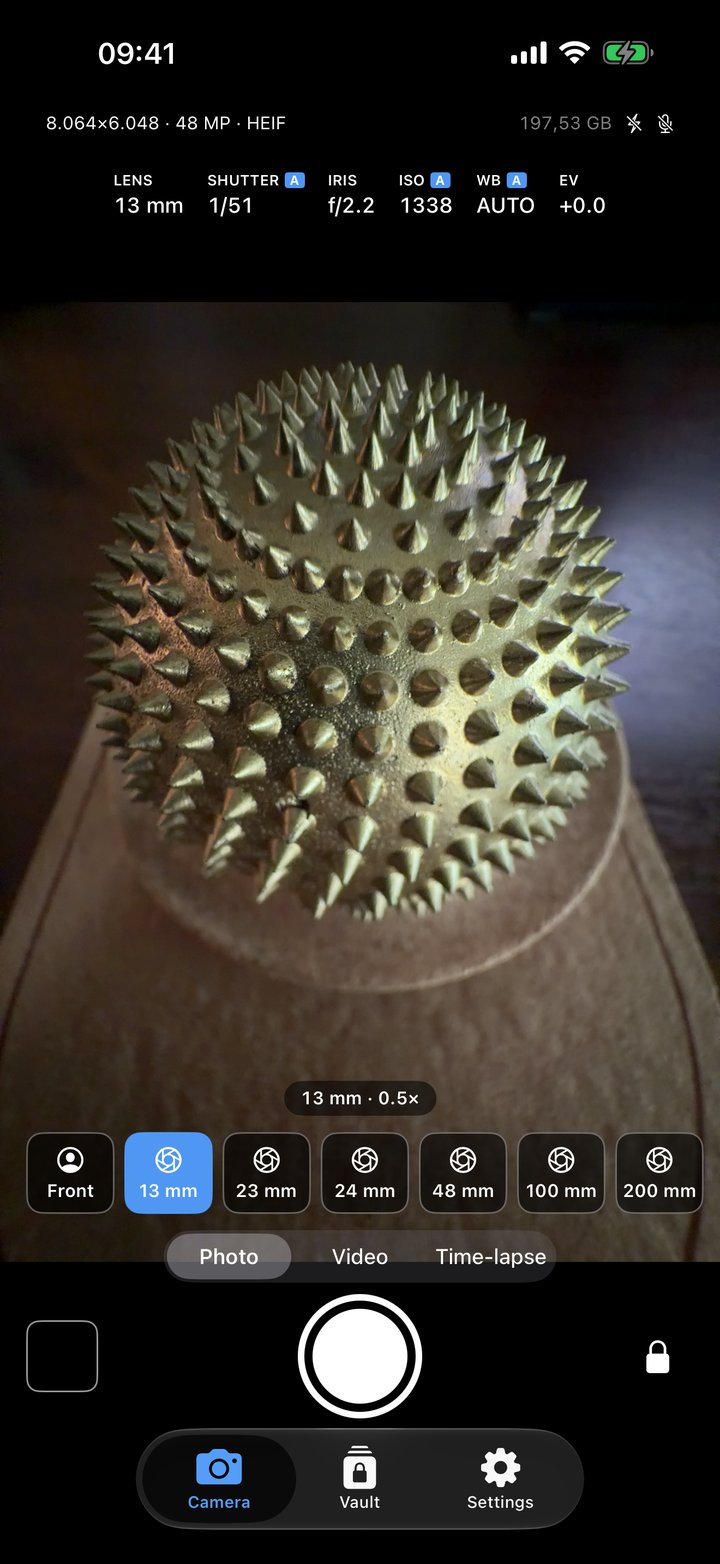
The camera in photo mode: 48 MP HEIF at the full 8064 by 6048 pixels, with the lens row and the exposure readouts
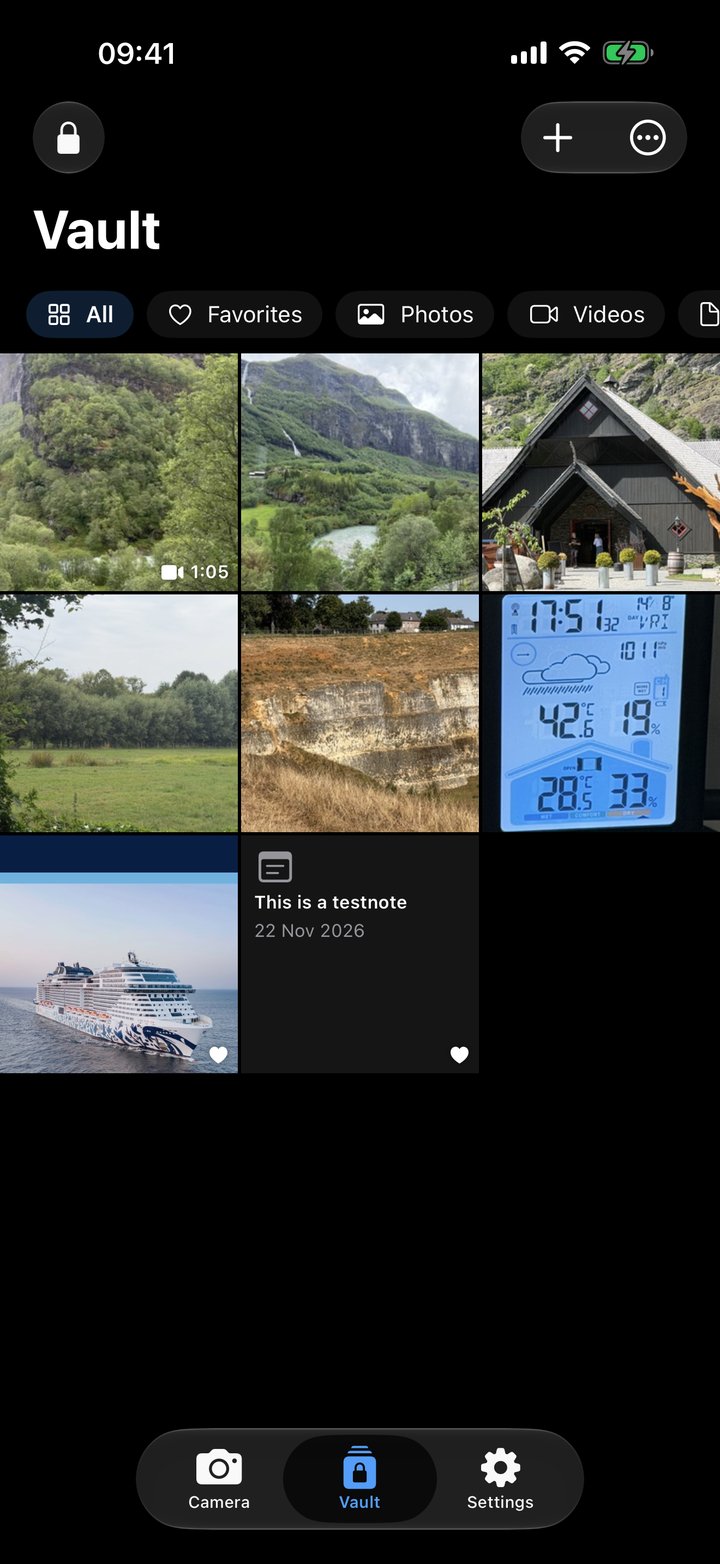
The vault with photos, a video, a document and a note, the filters for favourites, photos, videos and documents above them
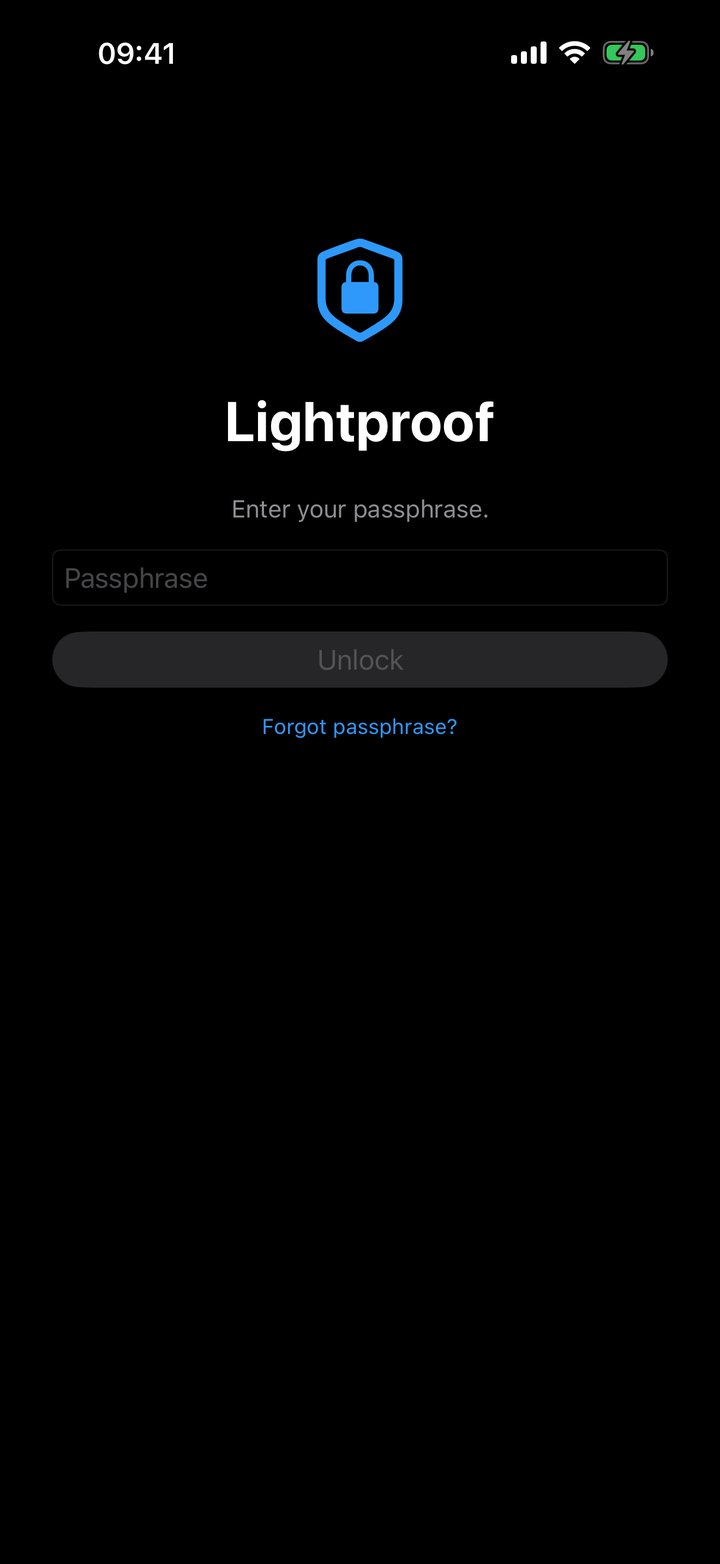
The lock screen of Lightproof: passphrase field, Unlock button and the Forgot passphrase link
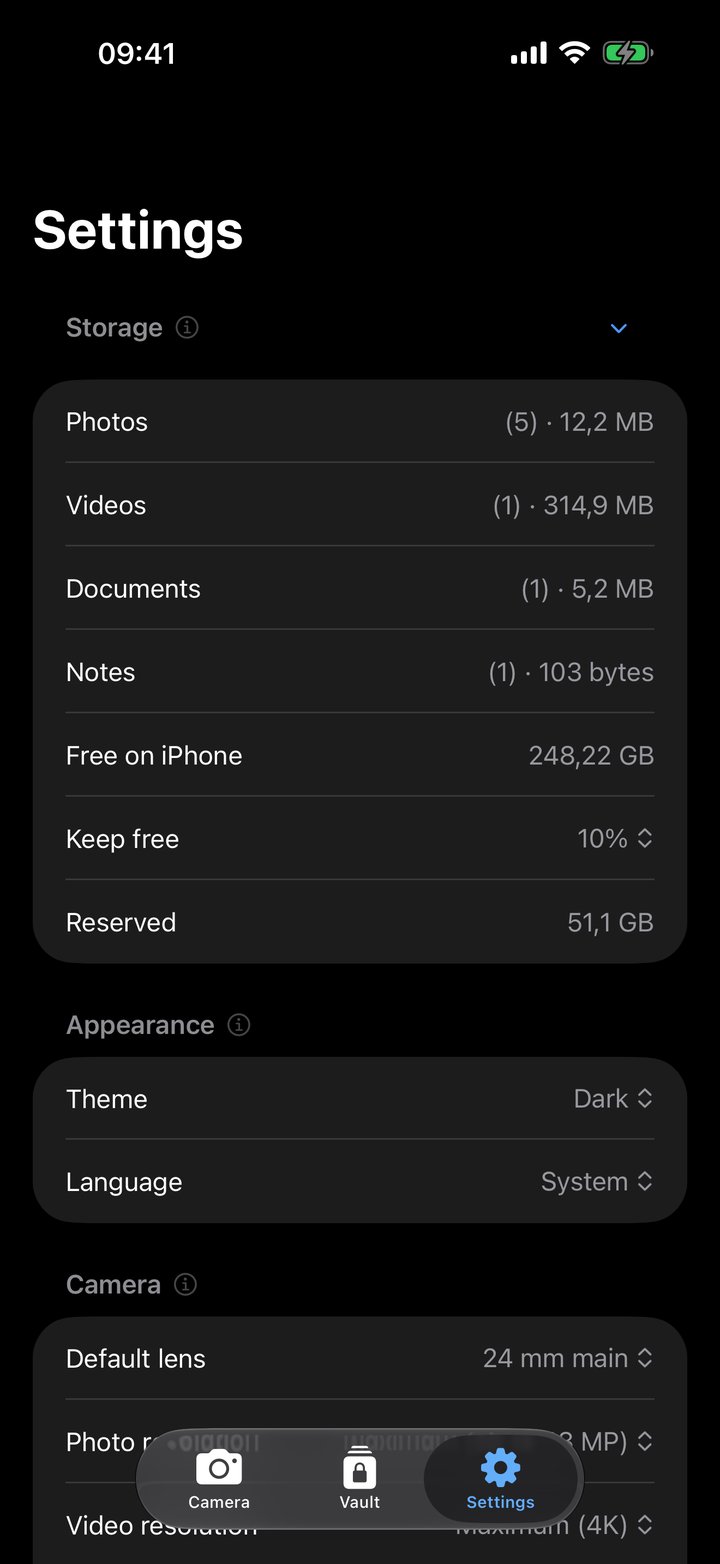
Settings with the storage breakdown open: photos, videos, documents and notes with their count and size, free space and the reserve
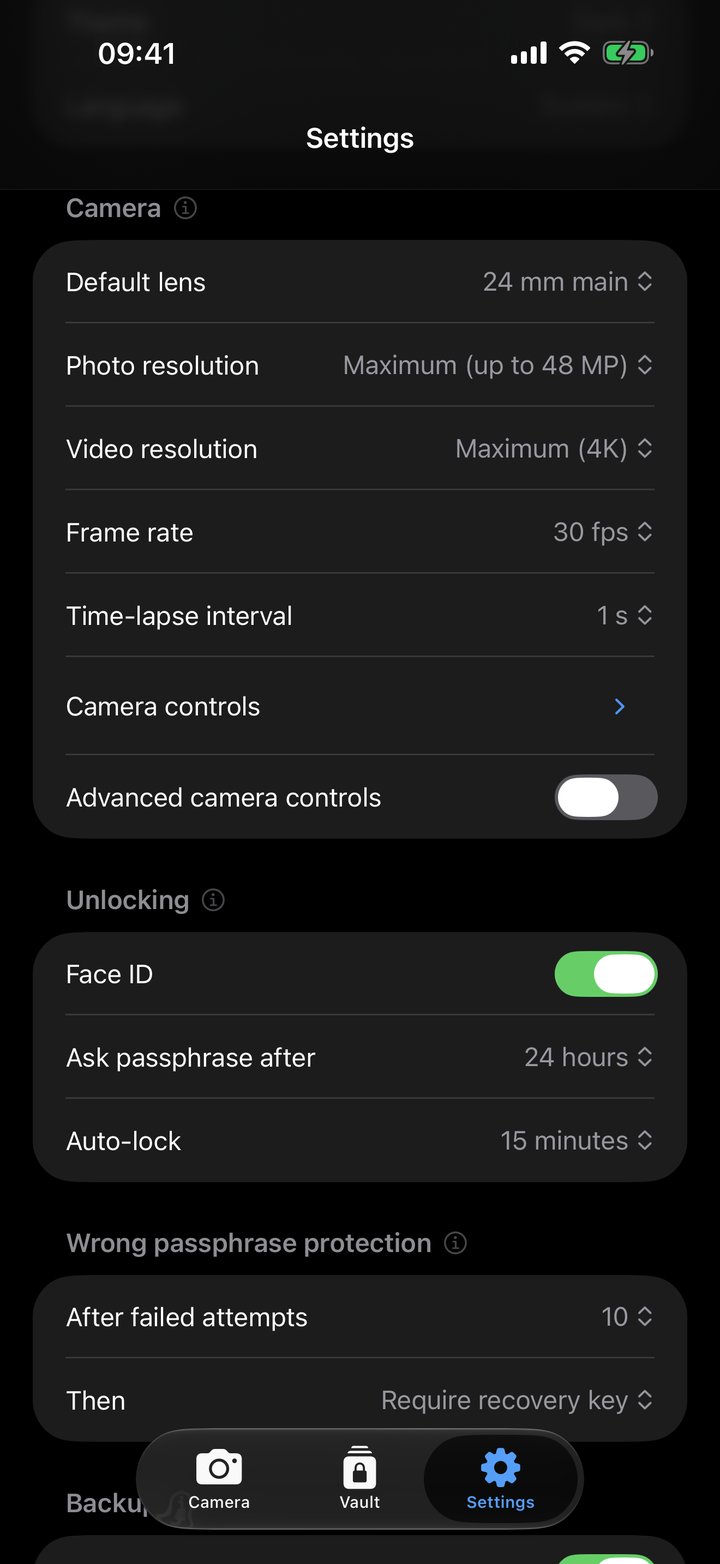
Settings for the camera, for unlocking with Face ID and auto-lock, and the protection against wrong passphrases
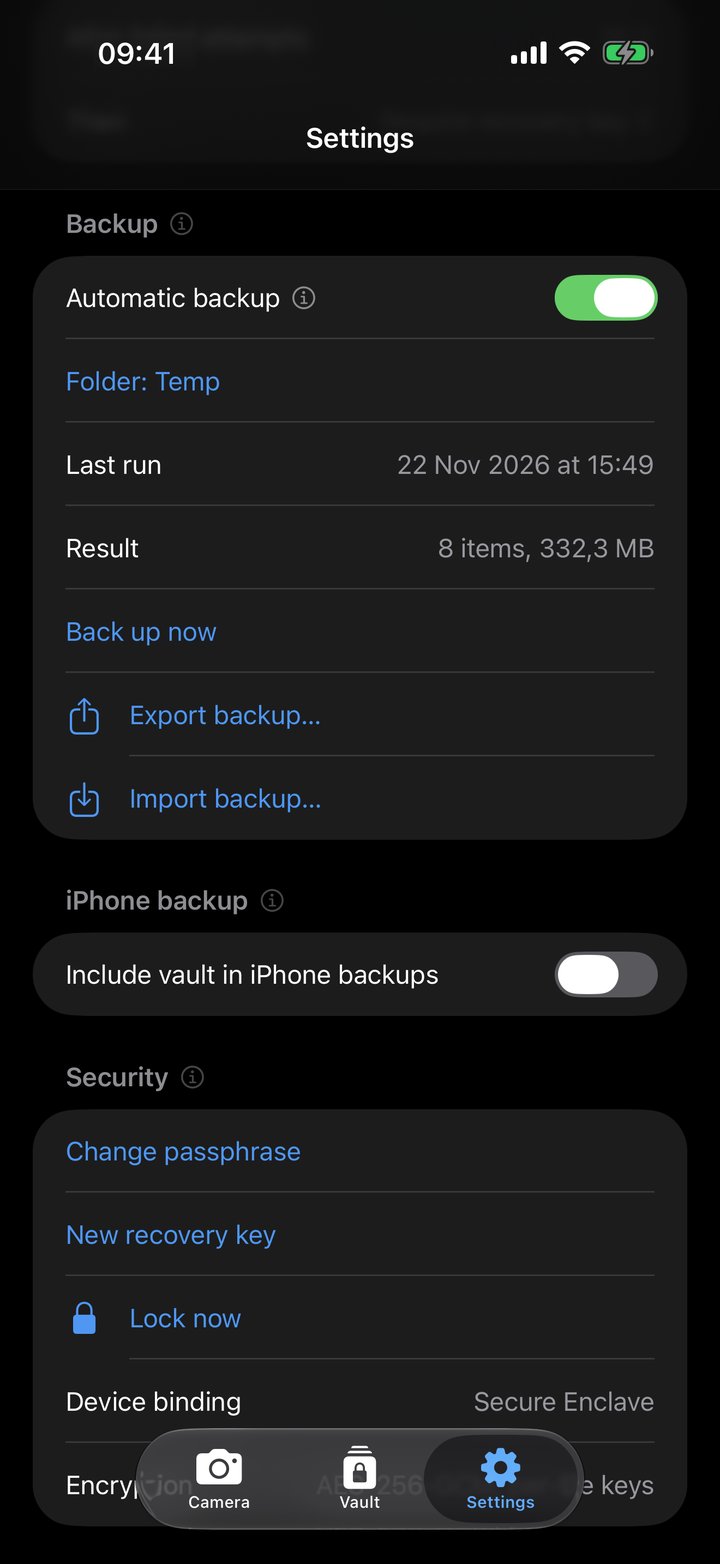
Settings for the automatic backup to a folder you choose, iPhone backups, and security: change passphrase, new recovery key, Secure Enclave device binding

Everything a private camera needs

And nothing that phones home.

📷

A real camera, not a wrapper

Every lens of your iPhone, including the telephoto, at full quality: 48 MP photos, 4K HDR video, zoom, tap to focus, exposure, grid and level. Manual shutter, ISO, white balance and focus with peaking, zebra and a histogram when you want them.

🔐

Encrypted before it touches the disk

Each photo and video gets its own random key and is written in authenticated AES-256-GCM chunks. The master key is wrapped by your passphrase and by the Secure Enclave of your iPhone, so a copy of the files is useless anywhere else.

🗂️

One vault for everything

Photos, videos, documents (PDF, Office files, anything iOS can show) and notes in one place, with albums, favourites, sorting and filters by kind.

🪪

Passphrase and Face ID

Open the vault with Face ID for as long as you choose, then with the passphrase again. Leave the app and it locks. Switch apps or record the screen and a cover hides the content.

🛡️

Guessing gets expensive

The first wrong passphrase costs nothing; from the second on, each adds a growing wait that survives a restart and a turned-back clock. After a number you set, the vault either demands the recovery key or erases itself.

🔑

A recovery key instead of a reset

There is no password reset and no one who can let you in. A 128-bit recovery key, shown once, opens the vault on another iPhone or after a forgotten passphrase. Write it down, keep it safe.

💾

Backups without a cloud account

Export an encrypted backup package to Files, a NAS or a USB drive, or let Lightproof mirror the vault to a folder of your choice once a day. Restore on a new iPhone with the recovery key.

📥

In and out on your terms

Import from Photos and, if you like, delete the originals afterwards. Export to Photos or Files only when you choose; the location is removed from exports unless you keep it.

🌍

Six languages, no account

English, Dutch, French, German, Italian and Spanish. No sign-up, no login, no advertising. Anonymous usage statistics can be switched off; diagnostics stay in the EU.

Three steps, then it is yours

No account to create and nothing to connect.

1

Choose a passphrase

Lightproof creates your vault and shows a recovery key once. Write it down: it is the only way back in without the passphrase.

2

Shoot, or bring things in

The Camera tab records straight into the vault. The + button imports from Photos or Files and writes notes.

3

Lock it, back it up

The vault locks by itself. Export a backup package when you like, or set the automatic mirror once and forget it.

Try it for a week, then buy it once.

No subscription, nothing recurring, no account.

Lightproof

€12.99 one-time
7-day free trial
  • The full camera: every lens, 48 MP, 4K HDR, manual controls, time-lapse
  • Photos, videos, documents and notes, with albums and favourites
  • Passphrase, Face ID and the wrong-passphrase protection
  • Encrypted backups, automatic mirror, restore on a new iPhone
  • Six languages
  • Every future update of version 1

When the trial ends

€0 to keep what you have
Your files are never locked away
  • Everything already in the vault stays available
  • Viewing, export and backups keep working
  • Only capturing, importing and new notes wait for the purchase
  • Buy later from Settings, or restore a purchase you made before

The trial and the purchase go through the App Store and are tied to your Apple Account, so a reinstall or a second iPhone does not restart the trial, and Restore purchases brings the purchase back. The price is shown in your local currency on the App Store and includes local taxes where they apply.

Frequently asked questions

Tap Forgot passphrase? on the lock screen and enter your recovery key: the vault opens and asks for a new passphrase. Without the passphrase and without the recovery key there is no way in, for you, for us or for anyone else. That is the point of the app, and it is why the recovery key is shown to you once and never stored by Lightproof.
No. Lightproof has no server and no account. Files are encrypted on your iPhone with keys that only exist there. By default nothing of the vault goes into iCloud; if you switch on Include vault in iPhone backups, Apple holds encrypted files and their sizes, never content. Usage statistics and crash reports are anonymous and never contain content or file names; you can switch them off in Settings.
Lightproof uses the same physical cameras at their maximum: 48 MP where the sensor has it (iPhone 14 Pro, iPhone 15 and later), 4K video with 10-bit HDR where the lens supports it, every lens including the telephoto, with the native crops in between. Add manual controls that the Camera app does not have, and a time-lapse mode. What it does not do is apply Apple's computational styles; the pictures are the sensor's own.
Two routes. Either export a backup package (or use the automatic mirror) and import it on the new iPhone with the recovery key; or switch on Include vault in iPhone backups beforehand, restore the new iPhone from your iCloud or Finder backup, and enter the recovery key once. Either way the key re-binds the vault to the new device's Secure Enclave.
Wherever Files can reach: iCloud Drive, a NAS app, a USB drive. A backup is a package of the encrypted files plus a sealed recovery blob. It opens only with that vault's recovery key, so it is safe on a Mac, a server or a stick, and useless to anyone else. Choosing iCloud Drive means the encrypted mirror lives on Apple's servers: unreadable without the key, but no longer "nothing leaves the device".
iOS can. Since iOS 18, hold the icon, choose Require Face ID, then Hide and Require Face ID: the app disappears from the Home Screen and from search, its notifications are suppressed, and it lives in a hidden folder of the App Library that opens with Face ID. Lightproof deliberately has no disguise mode, no decoy vault and no fake-calculator trick: they are easy to spot, they attract exactly the wrong attention, and Apple's review guidelines (2.3.1) frown on functionality that hides from the user or the reviewer.
An alternate appearance enrolled on your iPhone opens the vault too, because iOS treats it as the same person. If someone else is enrolled, leave Face ID off in Lightproof and use the passphrase. Face ID is switched off automatically when the enrolled face changes.
Everything already in the vault stays available: you can view, export and back up as before. Capturing, importing and new notes wait for the one-time purchase of €12.99. The trial starts when you tap Start free trial and is tied to your Apple Account, so reinstalling does not reset it.
Any iPhone running iOS 18 or later, including the iPhone Duo, where the inner screen is used in full. The camera features follow the hardware: 48 MP needs an iPhone with a 48 MP main camera (iPhone 14 Pro, or iPhone 15 and later); the telephoto lens is Pro-only. Lightproof is an iPhone app; on an iPad it runs in the iPhone layout.
Same developer, same values: no accounts, no tracking, everything on your device. HelioPeak follows your solar production on iPhone, iPad and Mac; Lightproof keeps your photos and documents private. Both work on their own.

Private by design

No account, no login, no advertising, no tracking. Your content is encrypted on the iPhone and never leaves it unless you export it yourself. Anonymous statistics and crash reports can be switched off and are processed in the EU.

No accountNo cloudAES-256-GCMSecure EnclaveEU-hosted diagnostics

Sun on your roof?

HelioPeak counts every kilowatt-hour: the solar production tracker for PVOutput users on iPhone and iPad, also on Macs with Apple silicon. Discover HelioPeak

Lightproof is for keeping your own photos, videos, documents and notes private. It must not be used to store or hide material that is illegal to possess or distribute; the developer has no access to what users store and accepts no responsibility for stored content or its use. Apple, iPhone, Face ID and the Secure Enclave are trademarks of Apple Inc.